
OrbStack vs Docker Desktop: Why Our macOS Team Switched
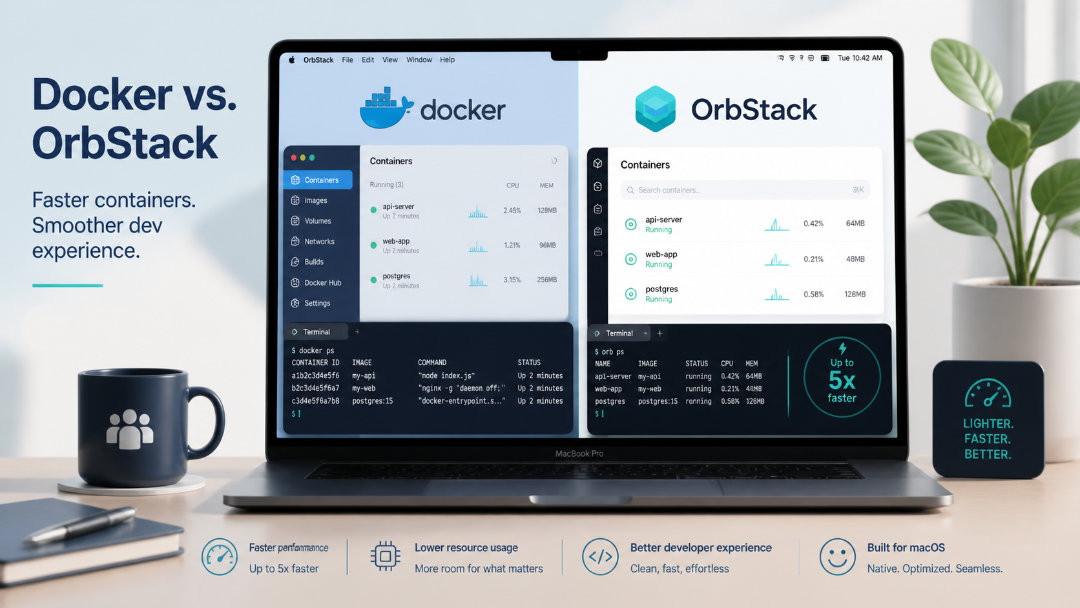
Over the past couple of years, Docker Desktop has gone from “reliable workhorse” to “that one app everyone is a bit afraid to restart.”
Most of us have watched it become heavier, buggier, and packed with features we never asked for. At some point we started asking a simple question: is there a better way to run containers on macOS?
For our team at TeamUp, that answer has increasingly been OrbStack.
In this post, I will walk through how Docker Desktop started getting in the way, what changed when we tried OrbStack, and what the switch actually looks like in practice for a small, remote‑friendly engineering team.
When Docker Desktop Started Getting In The Way
If you have been using Docker Desktop for a while, the pain points probably sound familiar.
It takes a long time to start because it boots a full virtual machine just to run your containers. Once it is running, CPU and memory usage stay high even when you are not actively using containers, which is especially painful on laptops that travel between home, office, and client calls.
On top of that, feature creep has not helped much.
Docker Desktop now bundles things like:
- Kubernetes integrations
- Docker extensions
- Security and monitoring tools
- Various dashboards and extra panels
These might be useful in some situations, but most of the time they just sit there increasing complexity and resource usage.
Each release seems to add a bit more weight, and we have seen our share of random bugs, networking quirks, and the occasional need to “reset to factory defaults” when something silently breaks. It still works, but it no longer feels like the lean, focused developer tool it once was.
For a team that wants local environments to be boring and predictable, that gradual drift matters.
First Impressions With OrbStack
OrbStack caught our attention because it promised something very specific: a fast, light, macOS‑native way to run Docker and Linux on Apple Silicon.
The setup experience fits that promise:
- You install the app.
- You point your Docker CLI at it.
- Your existing Docker commands and Compose files just work.
There is no need to rethink your workflow or rebuild images. The change is the engine underneath, not the day to day commands that developers type.
The difference in how it feels is immediate.
OrbStack starts in a couple of seconds instead of making you wait for a VM to boot. Idle CPU usage is close to zero, and memory is managed more aggressively, which means your fans spin less and your battery lasts longer during a normal dev day.
Instead of a heavy dashboard, you get a focussed macOS app and menu bar controls that stay out of the way until you need them.
It feels more like a native macOS developer tool and less like a small cloud platform running on your laptop.
How OrbStack Compares In Real Life
Benchmarks are useful, but what matters most is how tools behave during a normal work week. Here is how OrbStack compares to Docker Desktop from a day to day point of view.
Startup and responsiveness
With Docker Desktop, it is common to log in, see the Docker icon in the menu bar, and then wait while the VM finishes booting and everything becomes responsive. Opening a project, starting a Compose stack, and running tests can feel sluggish, especially on machines that are already juggling Slack, IDEs, and browser tabs.
With OrbStack, containers are ready much faster. Starting a new project, running a quick docker-compose up, or rebuilding an image feels a lot more like working with a native process than waiting on a full virtualized environment.
That small difference adds up over dozens of context switches per day.
Resource usage and battery life
One of the biggest friction points with Docker Desktop is how present it feels even when you are not using it.
You might close your containers, but the background services and VM still take a noticeable chunk of CPU and RAM. On a laptop, that translates into higher fan noise and shorter battery life.
OrbStack is noticeably quieter in the background. When you are not actively building images or running containers, it mostly stays out of the way. That gives more headroom for the tools that matter most: your editor, browser, terminal, and communication apps.
For a remote team working from different locations and sometimes on battery for hours, that difference alone is worth a lot.
File performance and local development
Modern web and backend applications are built around large codebases, node modules, and lots of small files. On Docker Desktop, bind mounts from macOS into the VM can become a bottleneck. You feel this when:
npm installoryarn installtakes longer than you expect.- Builds and hot reloads feel laggy compared with running them directly on macOS.
- File‑heavy operations cause the whole system to stutter.
OrbStack uses a different approach to file sharing that makes local development feel more natural. Working with large repos, running dev servers, or constantly editing and rebuilding containers feels closer to native performance.
Again, the win is not just faster benchmarks, but less friction when iterating on features.
A Quick Feature‑Level View
To ground this a bit more, here is a simple feature‑by‑feature snapshot of how the two tools feel after using both for real projects.
| Aspect | OrbStack (how it feels) | Docker Desktop (how it feels) |
|---|---|---|
| Startup | Comes up in a few seconds, ready when you need it | Often takes a while to become responsive after login |
| CPU / memory | Stays quiet when idle, leaves room for IDE and browser | Noticeable CPU and RAM usage even with no containers running |
| File performance | Fast mounts, less lag in large codebases and installs | File operations can feel slow in bigger repos |
| UI | Simple, focussed macOS app and menu bar controls | Busy dashboard with lots of panels and configuration |
| Extra features | Optional Linux VMs and Kubernetes for dev use | Ships many platform‑level features by default |
| Overall stability | So far feels predictable and less “mysteriously broken” in daily use | History of odd bugs, resets, and occasional regressions over time |
For our team, the big takeaway is that OrbStack does less, but does the core things we care about very well.
What Switching Actually Looks Like
The good news is that switching from Docker Desktop to OrbStack is not a dramatic migration. It is mostly about changing which engine your existing tooling talks to.
A typical path looks like this:
- Install OrbStack on a couple of developer machines as a trial.
- Point the Docker CLI to OrbStack, either via its installer or by following the short setup instructions.
- Run your existing projects:
docker build,docker-compose up, and your usual scripts. - Fix any small differences or environment assumptions that appear.
Because OrbStack is designed as a drop‑in replacement for Docker Desktop on macOS, most teams can test it using real projects in a day or two without changing their CI pipelines or production environments.
For a while, you can keep Docker Desktop installed as a fallback. Once the team is comfortable and the main projects run reliably, many people choose to uninstall Docker Desktop entirely to reclaim disk space and avoid accidentally starting the wrong engine.
When OrbStack Makes The Most Sense
OrbStack is not the right fit for every situation, but there are a few cases where it shines:
- Your team is primarily on macOS, especially Apple Silicon.
- Docker Desktop feels slow, heavy, or fragile in daily use.
- You want a lean, focused tool for local development, not an all‑in‑one platform.
- You are happy to keep using Docker in production, but want something smoother on laptops.
There are still reasons to keep Docker Desktop around in some situations. For example, if you need a consistent GUI across macOS and Windows, rely heavily on specific Docker extensions, or have tooling tightly coupled to the Docker Desktop app, you will want to evaluate those flows carefully.
But if your main goal is to make local development faster, quieter, and less annoying for your engineers, trying OrbStack on a few machines for a sprint or two is a low‑risk, high‑feedback experiment.
Final Thoughts
Tools that developers use every single day should feel boring in the best possible way. They should start quickly, run quietly, and stay out of the way while you solve real problems.
For us, Docker Desktop slowly crossed the line from “boring and reliable” to “heavy and slightly fragile.” OrbStack pushes things back in the right direction.
It gives us:
- Faster startup times
- Lower resource usage
- A simpler mental model
- A workflow that still feels like Docker, just smoother
If your team is feeling the same friction we did on macOS, OrbStack is worth a serious look. Even if you do not switch immediately, the process of testing it will give you a clearer picture of what you actually need from your local container tooling in 2026.